

Shopify
Import Shopify orders and B2B customers, push products with their variants and images to your store, and create Flyte orders in Shopify as draft orders. Each part switches on separately.

A Whyrl Digital product · Order management
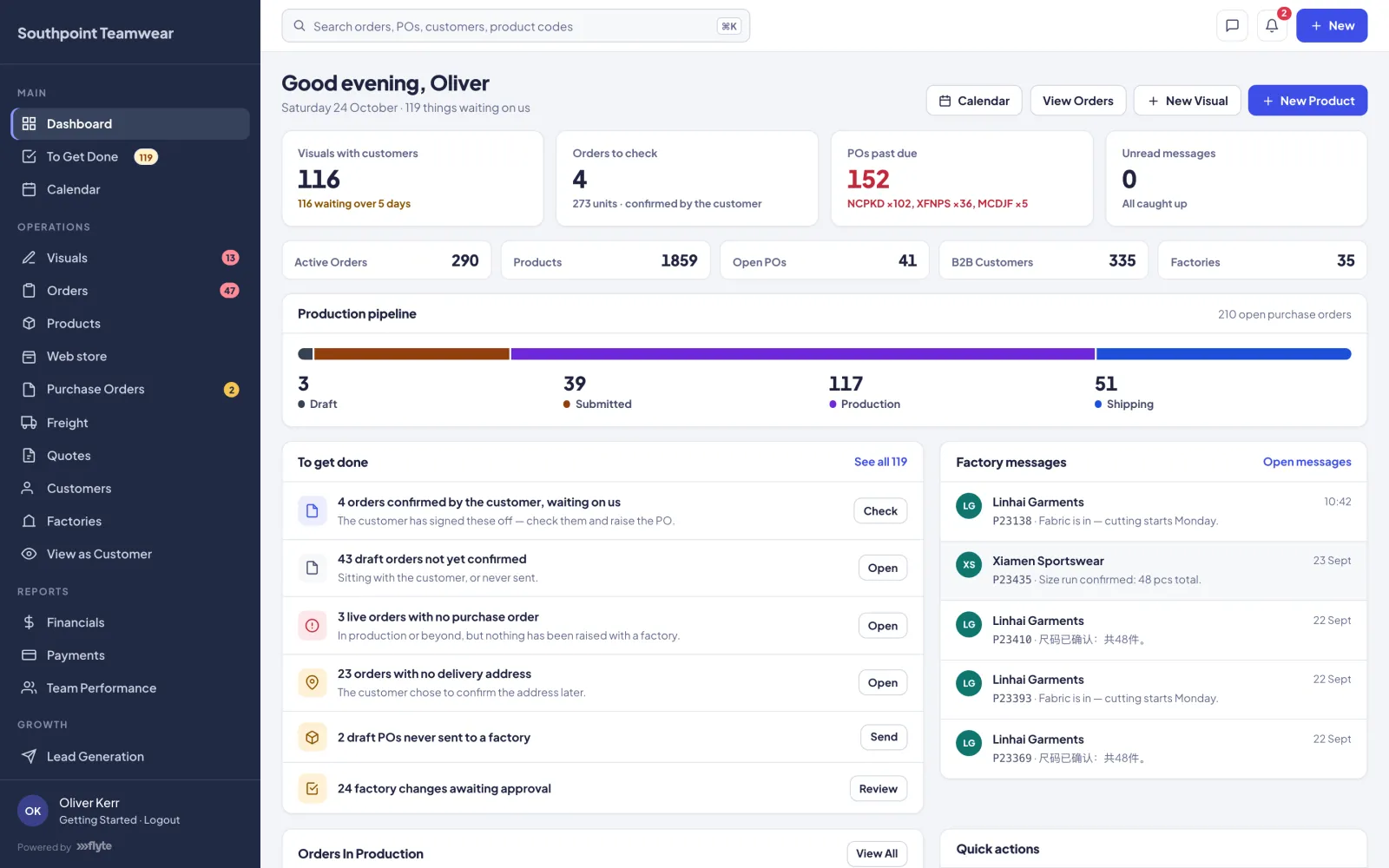
Flyte runs a made-to-order business end to end: artwork and customer approvals, orders, factory purchase orders, production, freight and margin. Your team, your factories and your customers all work from the same live record.
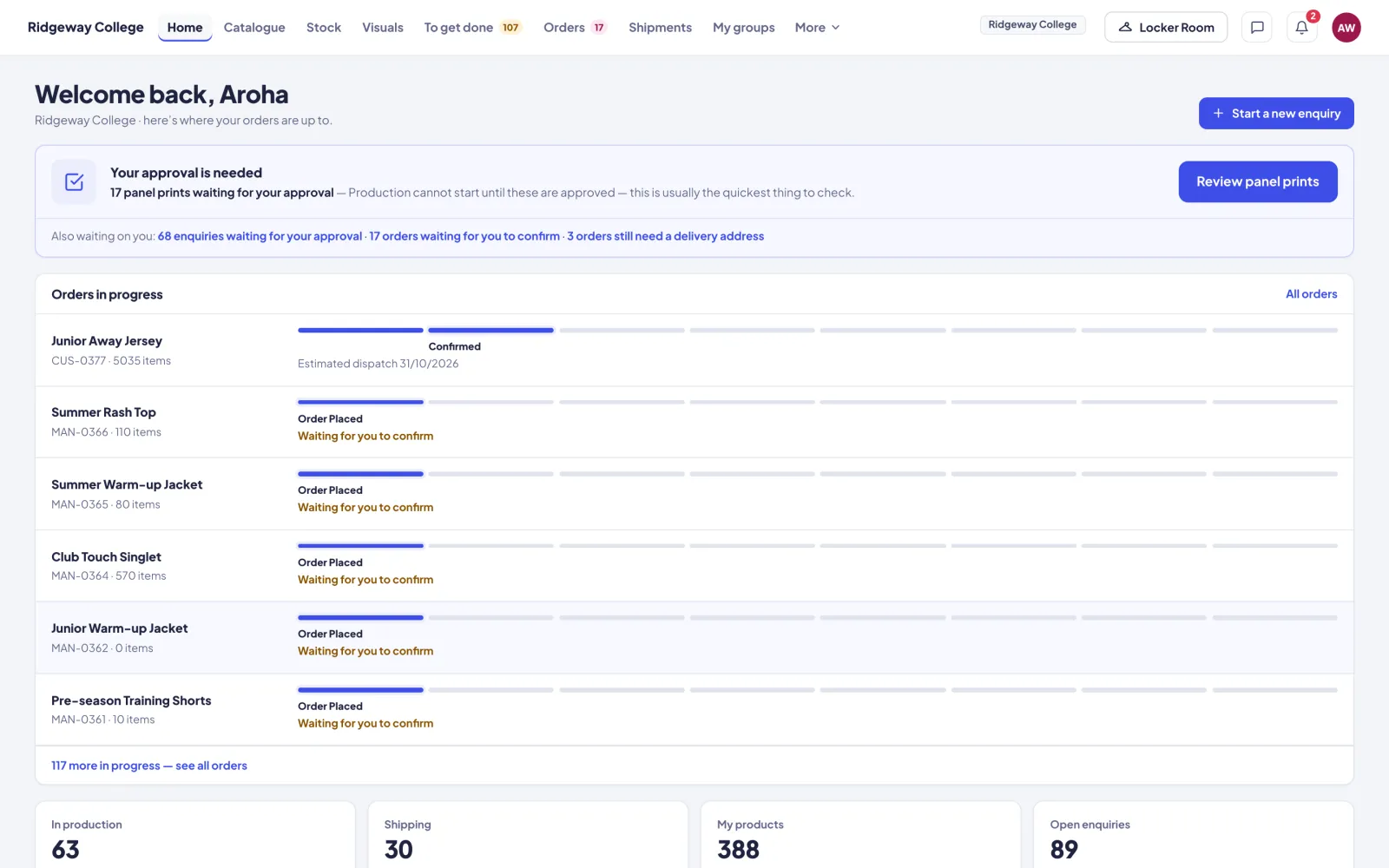
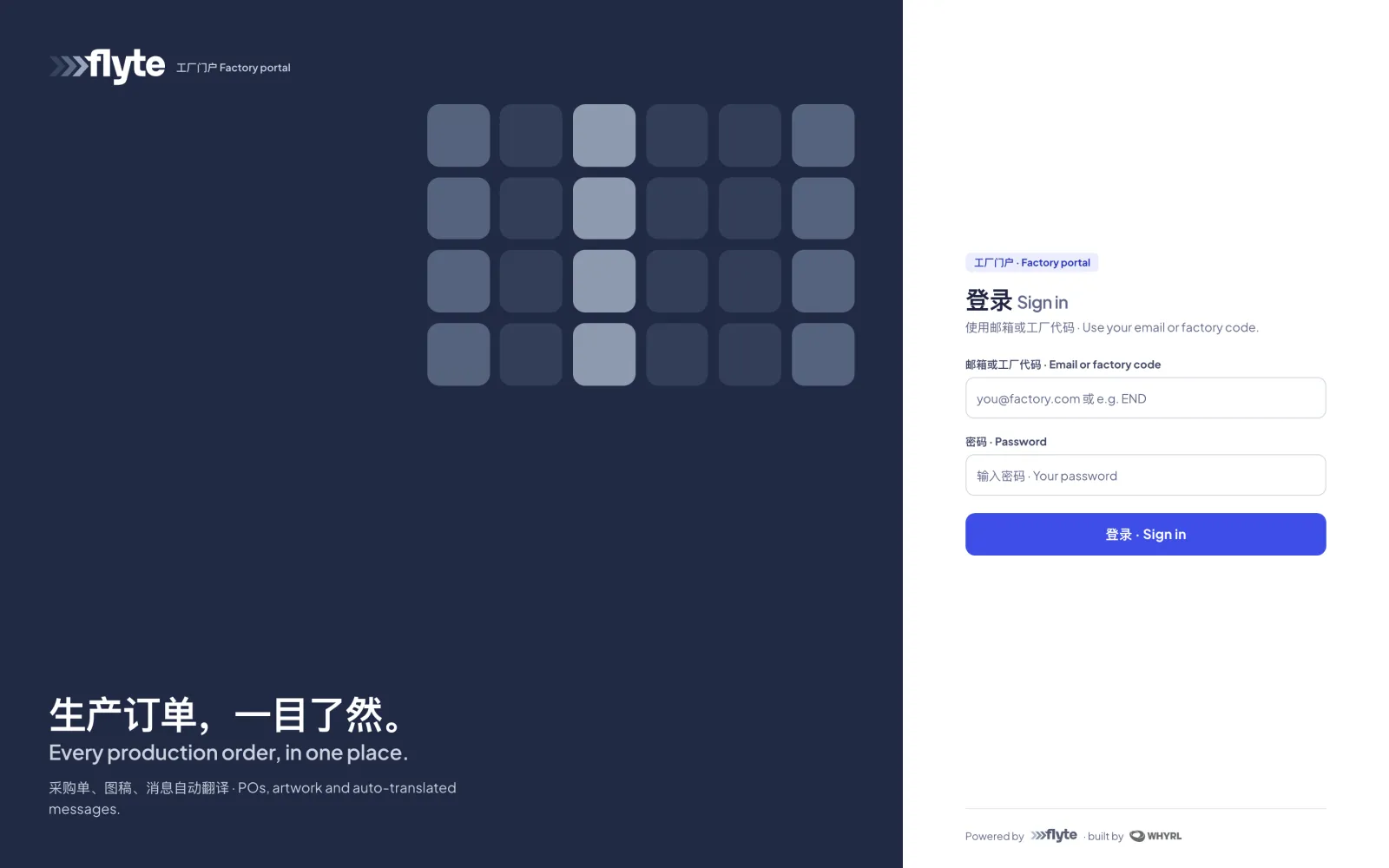
Three platforms. One live system. A team portal to run the business, a factory portal your suppliers use in English or 中文, and a customer portal under your own brand. All three work off the same job, so it's entered once.
Integrations
Flyte connects to the platforms you already run, like your store, your payments and your design software. It also comes with integrations of its own that we've built in. Work flows in and out without anyone re-keying it.
Third-party platforms Flyte talks to directly. Switch on the ones you use.
Import Shopify orders and B2B customers, push products with their variants and images to your store, and create Flyte orders in Shopify as draft orders. Each part switches on separately.

Card payments on invoices. Customers pay from the link in the invoice and the payment matches itself to the invoice. Other payment providers can plug into the same slot.

Our plugin inside Illustrator. One click exports front, back, logos and the factory PDF straight onto the right product in Flyte. See how.

Connect Claude or any AI tool that supports MCP and ask questions of your own orders, products and customers. Read-only, behind a secure sign-in.

Delivery addresses checked against NZ Post's address database as they're entered.

Two-way sync with the system you already run. Confirmed orders and submitted POs go across, and their reference numbers come back onto them.
If it has an API, we can connect it. We build and maintain every integration ourselves.
 Our in-built integrations
Connections and APIs we've built into Flyte ourselves. They come with every instance, with nothing extra to buy or wire up.

Connections we've built to your suppliers' systems pull stock products, prices and quantities every night, so your catalogue shows what's actually available.

Purchase orders sync live between your Flyte and your factory's Flyte portal, and their accepts, ship dates, photos and messages sync back.

Chinese ↔ English on every purchase-order message, in both directions, as it's sent.

See when a factory's PO email was delivered and opened. When the factory replies by email, the reply lands in the PO's message thread.

Every image and file served from a fast global CDN, plus a full database backup every night.
Rates pulled automatically for every cost and margin figure, then locked to the rate you actually paid once a PO is paid.
What Flyte is
Most made-to-order businesses run on spreadsheets, email threads and chat screenshots. A design gets approved in one place, ordered in another, sent to the factory in a third, and nobody is quite sure which version is current. Flyte replaces all of that with one system and three logins, so a job is entered once and every party sees it update live.
For your team
Run the whole business: visuals, orders, products, purchase orders, freight, customers, factories, financials, payments and approvals. Permissions are set per person and per section.
For your factories
Suppliers accept POs, set ship dates, upload production photos, plan capacity and message you, in English or Chinese. Every message is translated as it's sent. 中文介绍 →
For your customers
Customers browse their catalogue, raise enquiries, approve artwork, confirm orders and track every job to delivery, all under your brand.
Plus no-login approval pages. A customer can sign off artwork, confirm an order or approve production samples from a link in a branded email, without needing an account.
How it works
Every job follows the same path: enquiry, design, approval, order, production, freight, delivery. Flyte moves it along and hands each step to whoever owns it, so it doesn't need chasing.
01 Enquiry & artwork
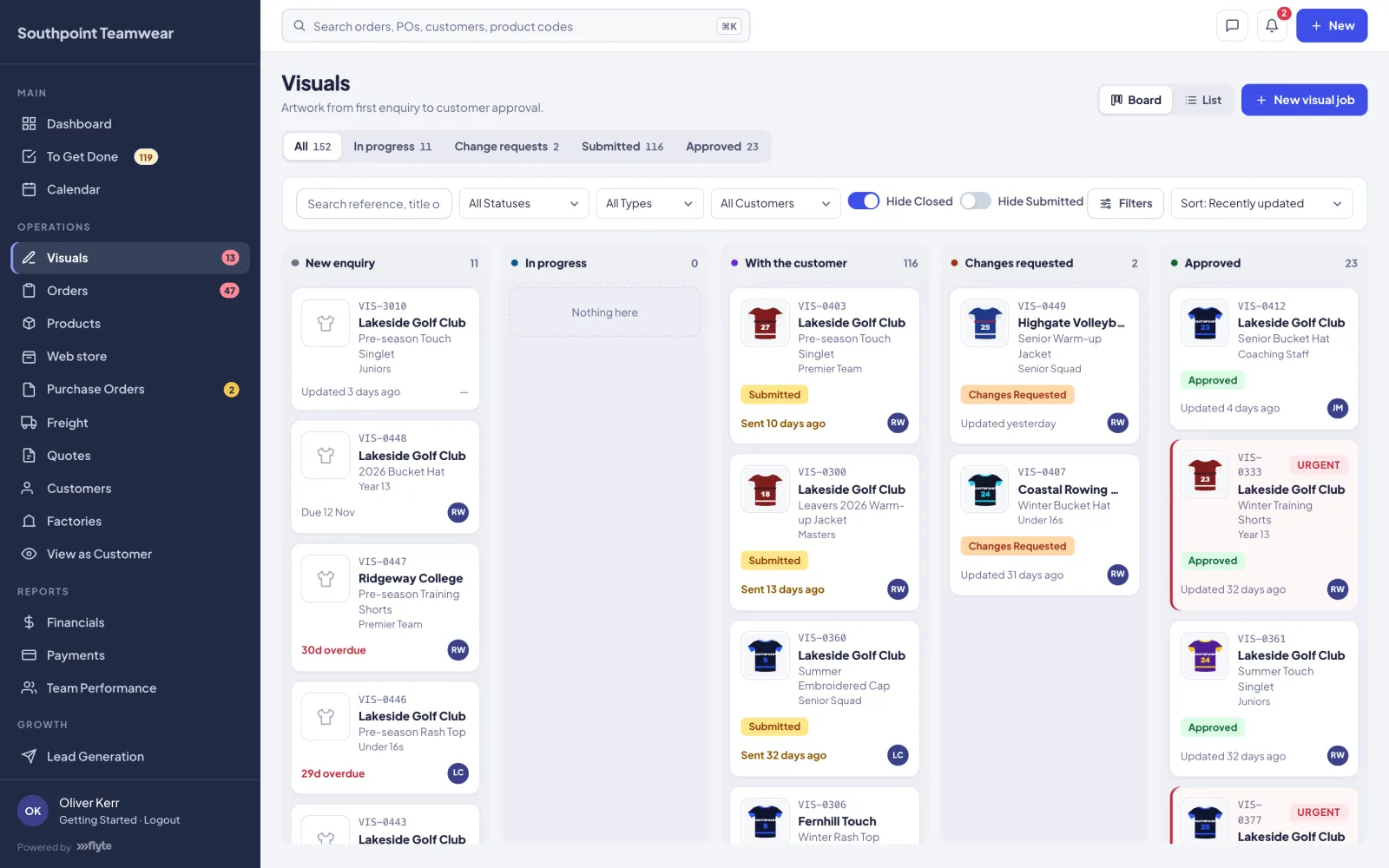
A job starts when a customer submits an enquiry from their portal or your team creates one. It becomes a visual job with its own reference. Designers add the products and upload front and back renders and artwork files. They also record fabric, colours, sizes and logo placements, and talk it through on an internal thread.
02 Customer approval
One click sends the customer a branded email with a link to an approval page. No login is needed. For each product they choose one of three options: request changes, approve for later or approve & place order with a size breakdown. Change requests come straight back to the designer as comments on the job.
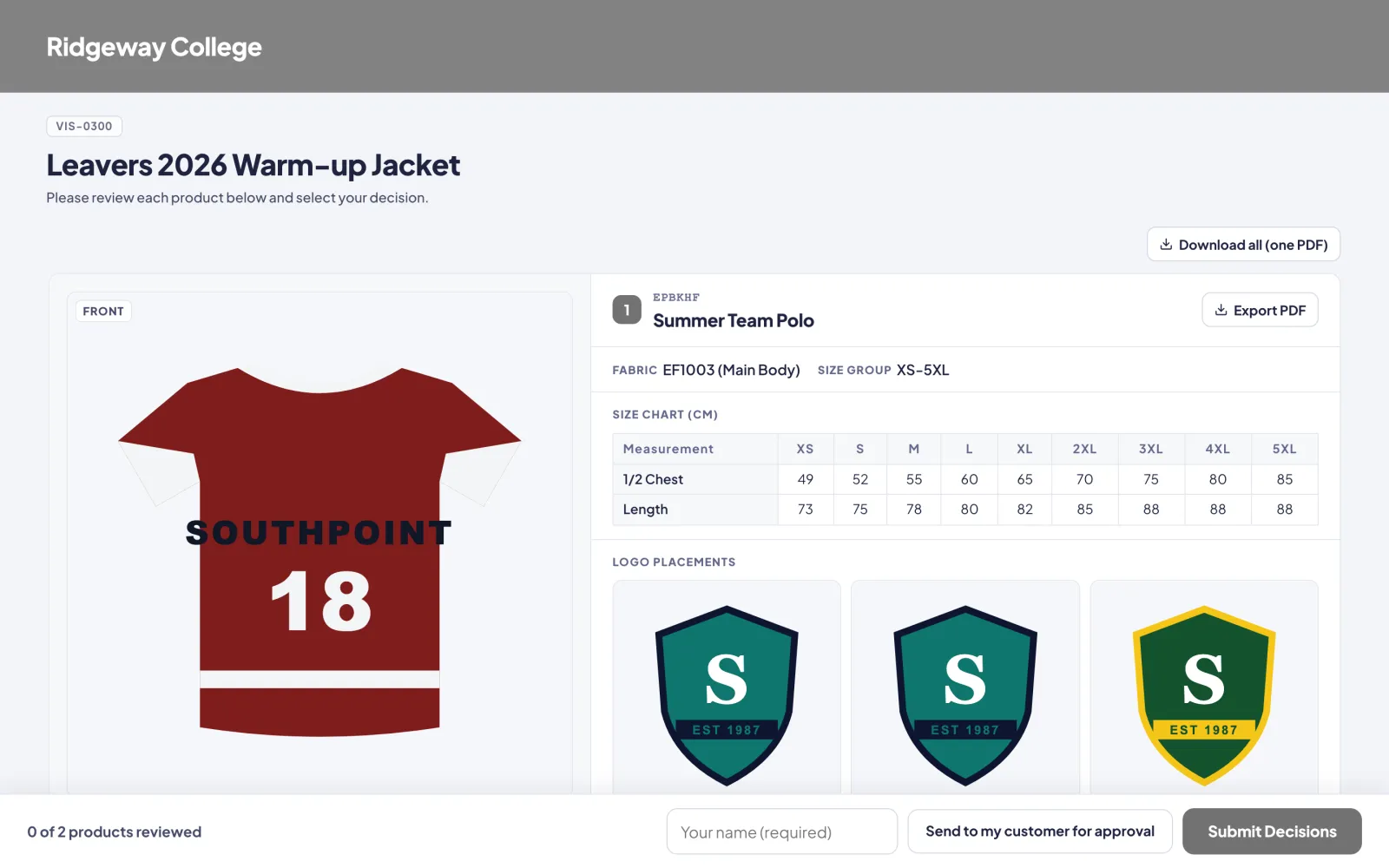
03 Order
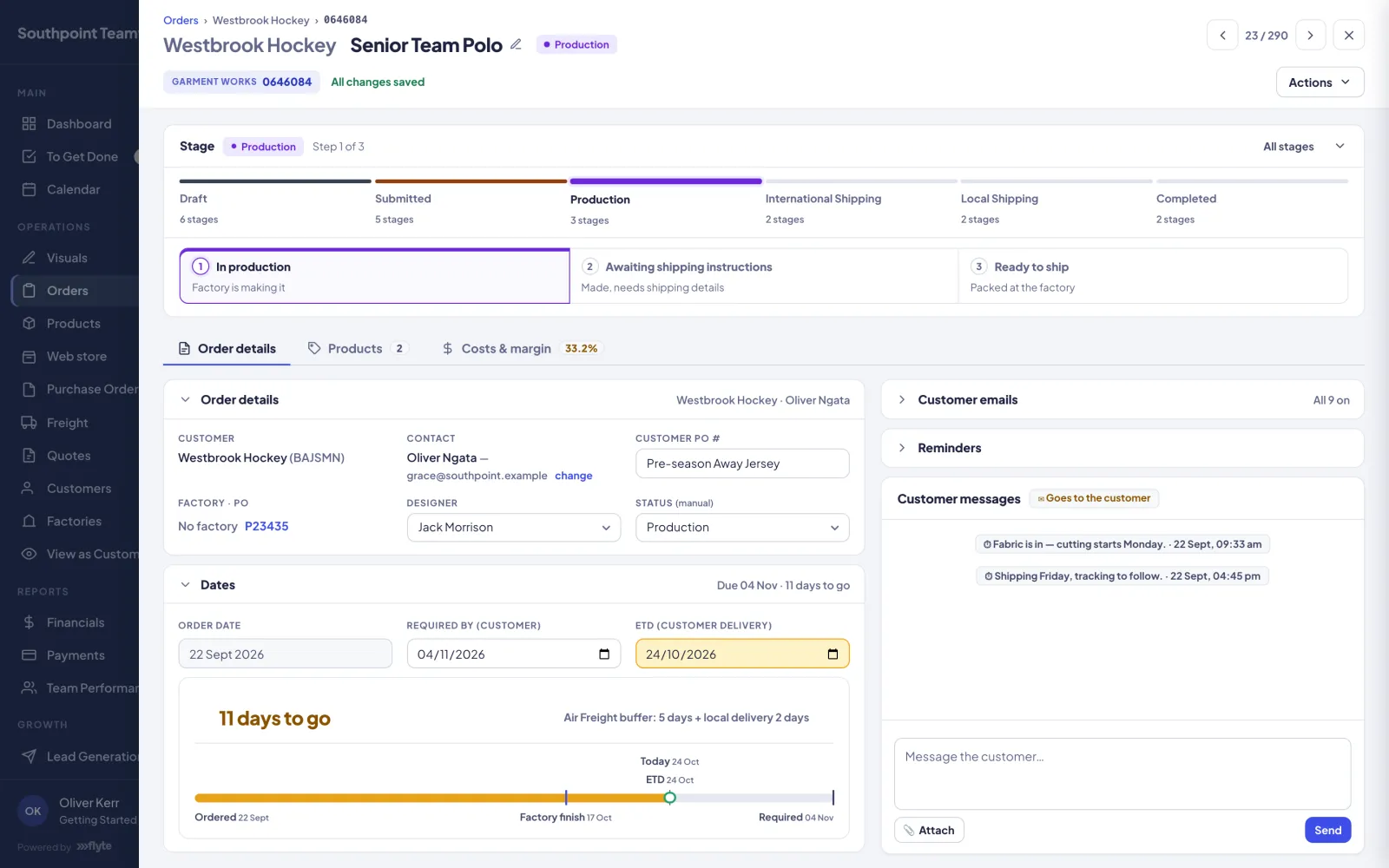
Everything a customer approves to order is gathered into a draft order automatically. Nobody re-keys anything. Pricing comes from your tiered price breaks. Each order has a workspace with its stage, dates, costs and margin, plus a message thread with the customer.
04 Factory purchase order
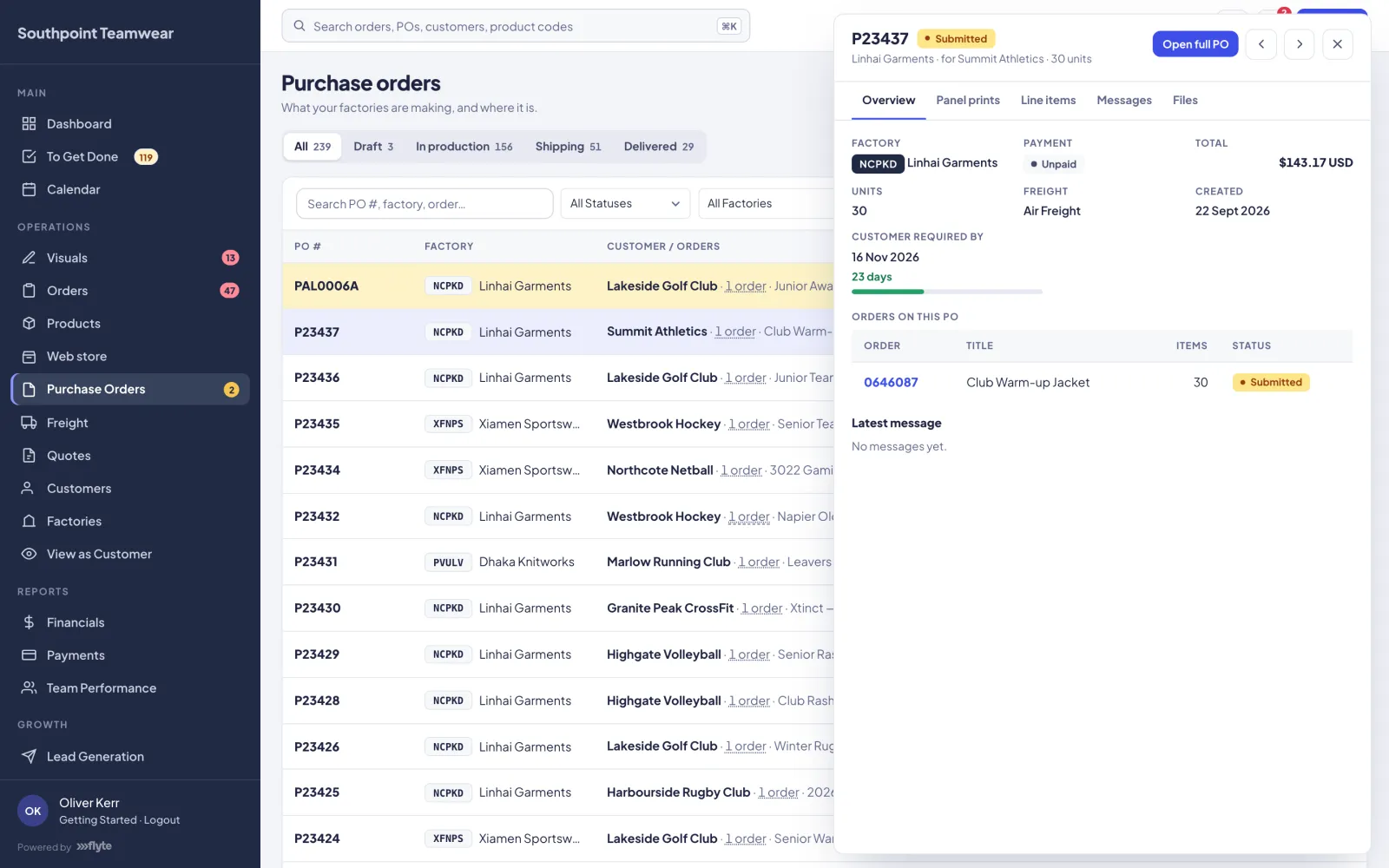
Tick one or more confirmed orders and Flyte builds the purchase orders. Lines are grouped by the factory that makes each product and priced from your buy-cost tiers. On submission, the factory receives the PO in their portal and by email as a PDF.
05 Production
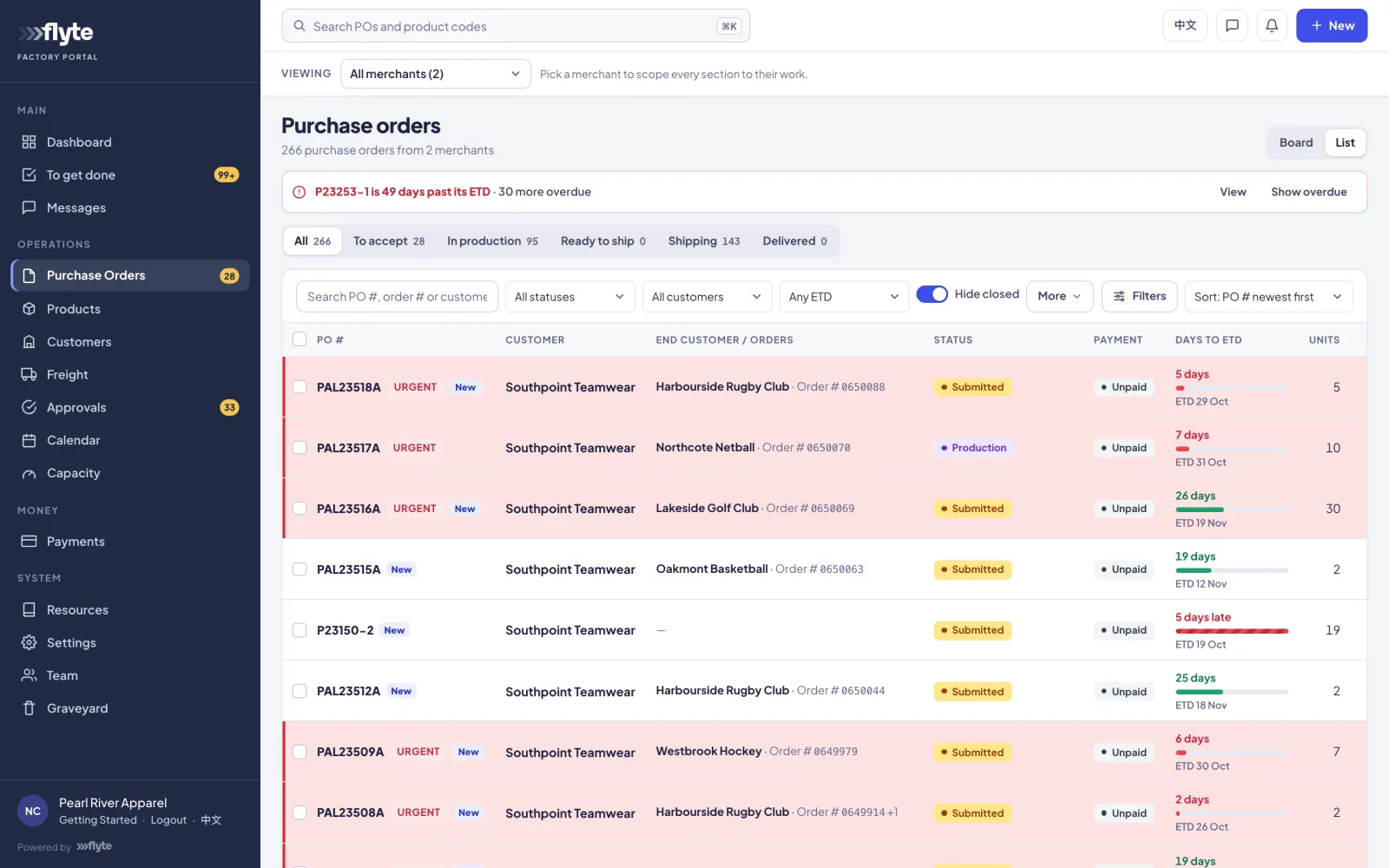
Factories work in their own portal. They accept POs, set and update ship dates, and upload production photos for your customer to approve before the bulk run. They can propose changes and message you about a specific PO. One factory login can serve several of the brands it makes for.
06 Freight
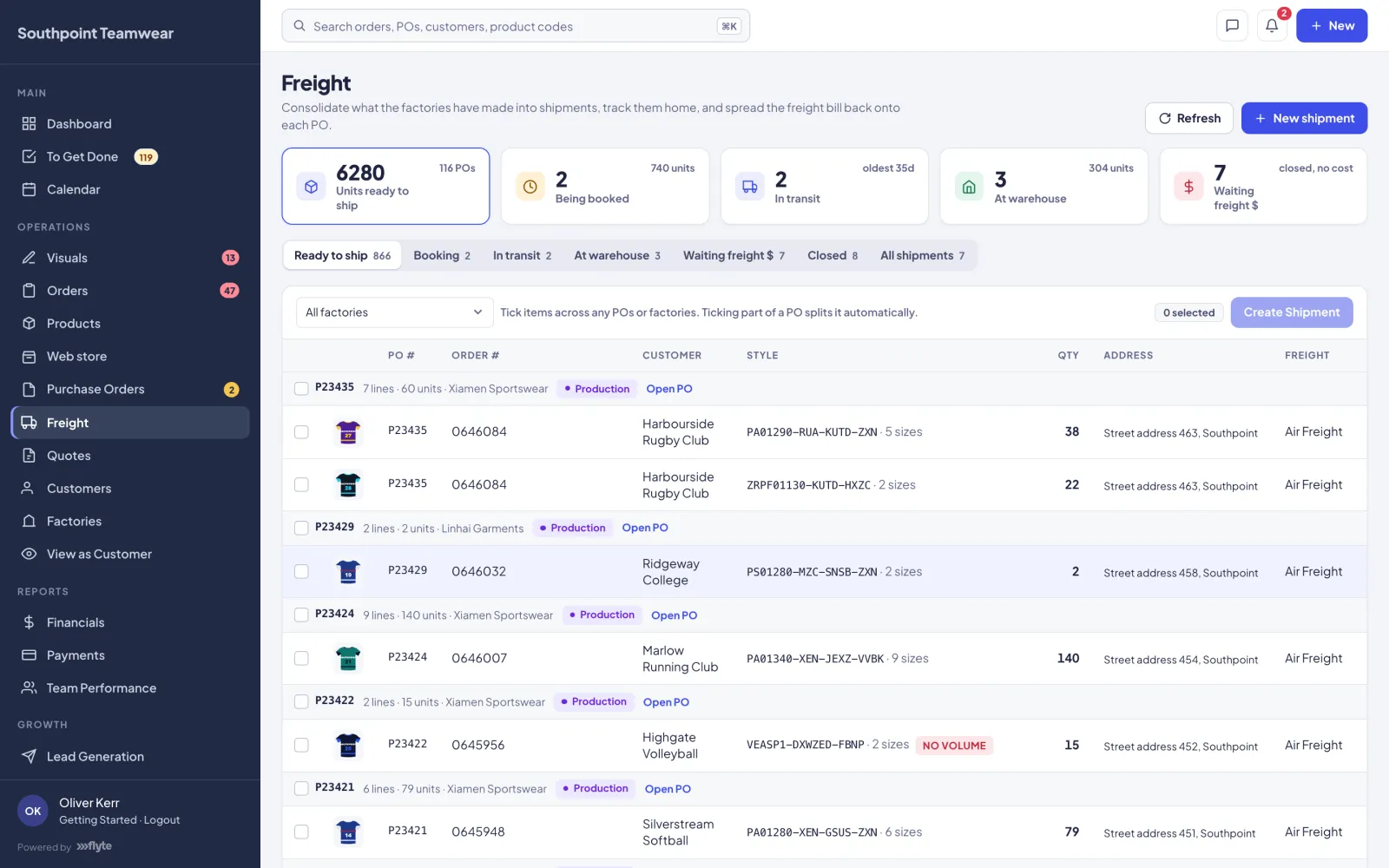
When goods are ready, tick lines across any POs or factories and create a shipment with carrier, tracking, freight cost and method. When the freight bill comes in, Flyte spreads it across the items by volume and onto each PO, so your margins reflect true landed cost.
07 Delivery
Your customers log in and see every order's progress, from placed through production and shipping to delivered, with tracking as soon as it exists. Anything waiting on them, such as an approval, an order to confirm or a missing delivery address, sits at the top of their home page.
File management
Flyte is also a complete file manager for production. Artwork, proofs, size specs, pattern files, production photos and paperwork live on the record they belong to: the product, the visual, the order or the purchase order. They don't sit in a shared drive, an inbox or someone's desktop. When a job moves on, its files move with it.
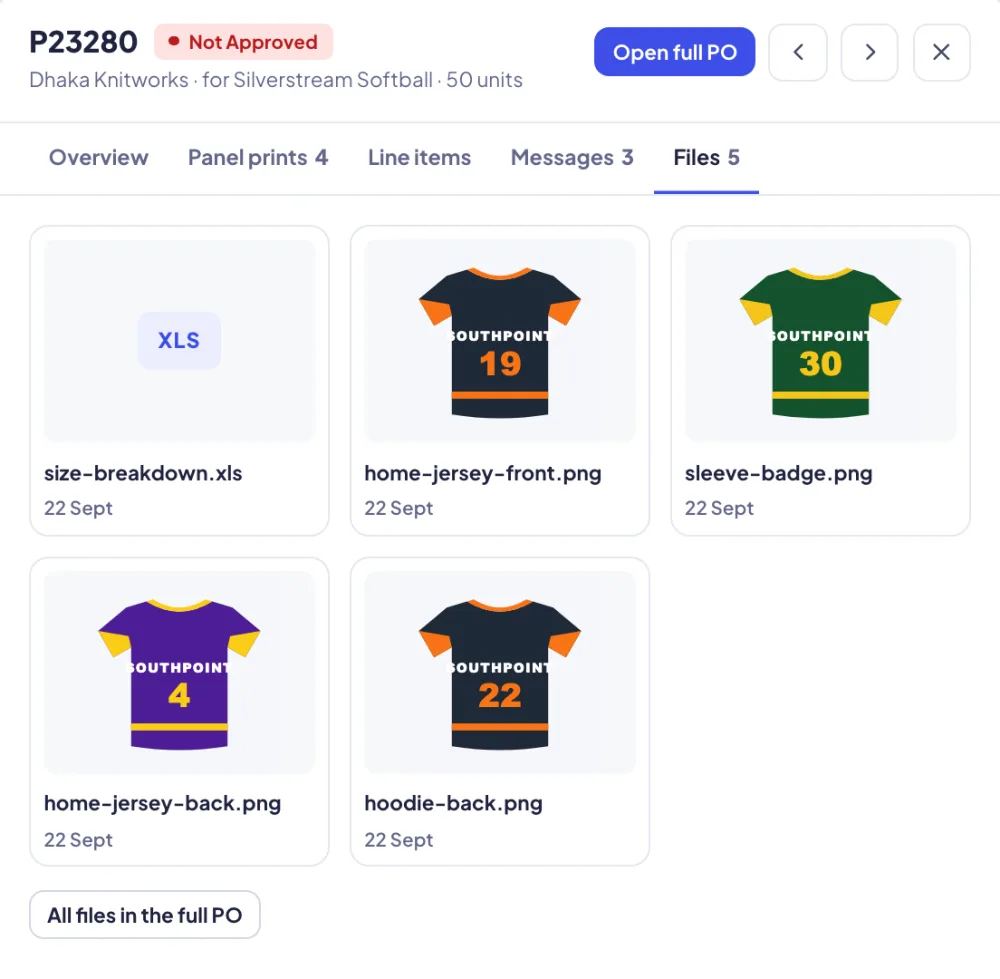
Drag, drop or paste images, AI, PDF, EPS, PSD and Office files onto any product, visual, order or PO, with previews and thumbnails.
Each product carries its active artwork file. That's the one the factory gets, so a superseded proof never goes into production.
An order's files flow onto its purchase order and reach the factory the moment the PO is sent. Nobody attaches anything twice.
Production photos, panel prints and finished-garment photos come back from the factory onto the PO. Pattern files and size specs stay on the product.
A standing library of each customer's neck labels, tapes and care labels, attached to new products in a click.
PO PDFs in English and 中文 with the artwork included, factory artwork packs, order summaries, and approval pages that download as one PDF.
Adobe Illustrator plugin
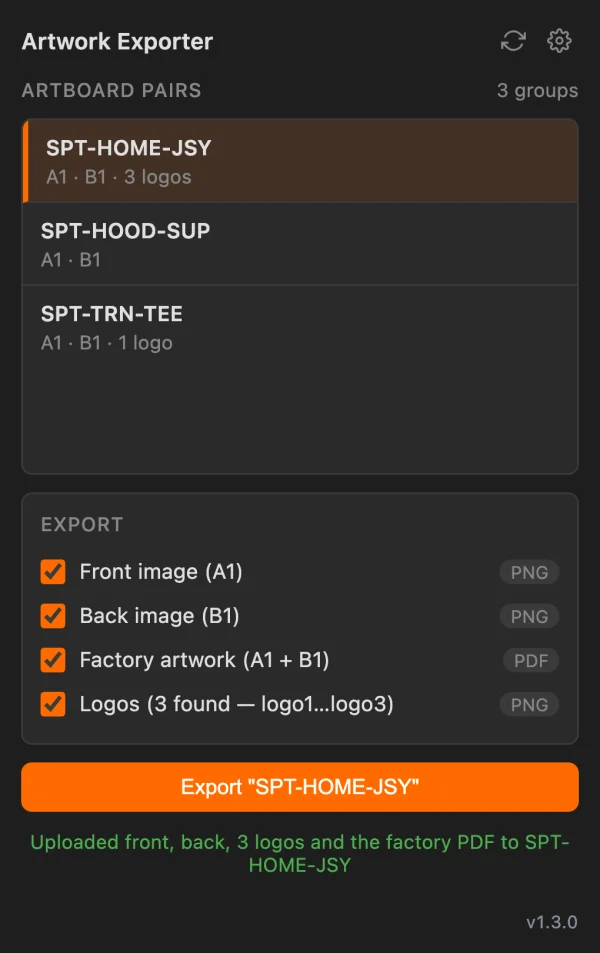
Designers never export, rename and upload files by hand. The Flyte Artwork Exporter sits inside Illustrator, reads the document and files everything where it belongs.
_A1 is the front, _B1 the back, and _logo1, _logo2 and so on are the logo placements.Mac and Windows installers. The panel shows its version and warns you when a newer one is out.
The factory side
The factory portal runs in English or Chinese at the flick of a switch. The PO messenger translates every message in both directions as it's sent, and the original is always one click away. Conversations stay attached to the purchase order they're about, not lost in a chat app.
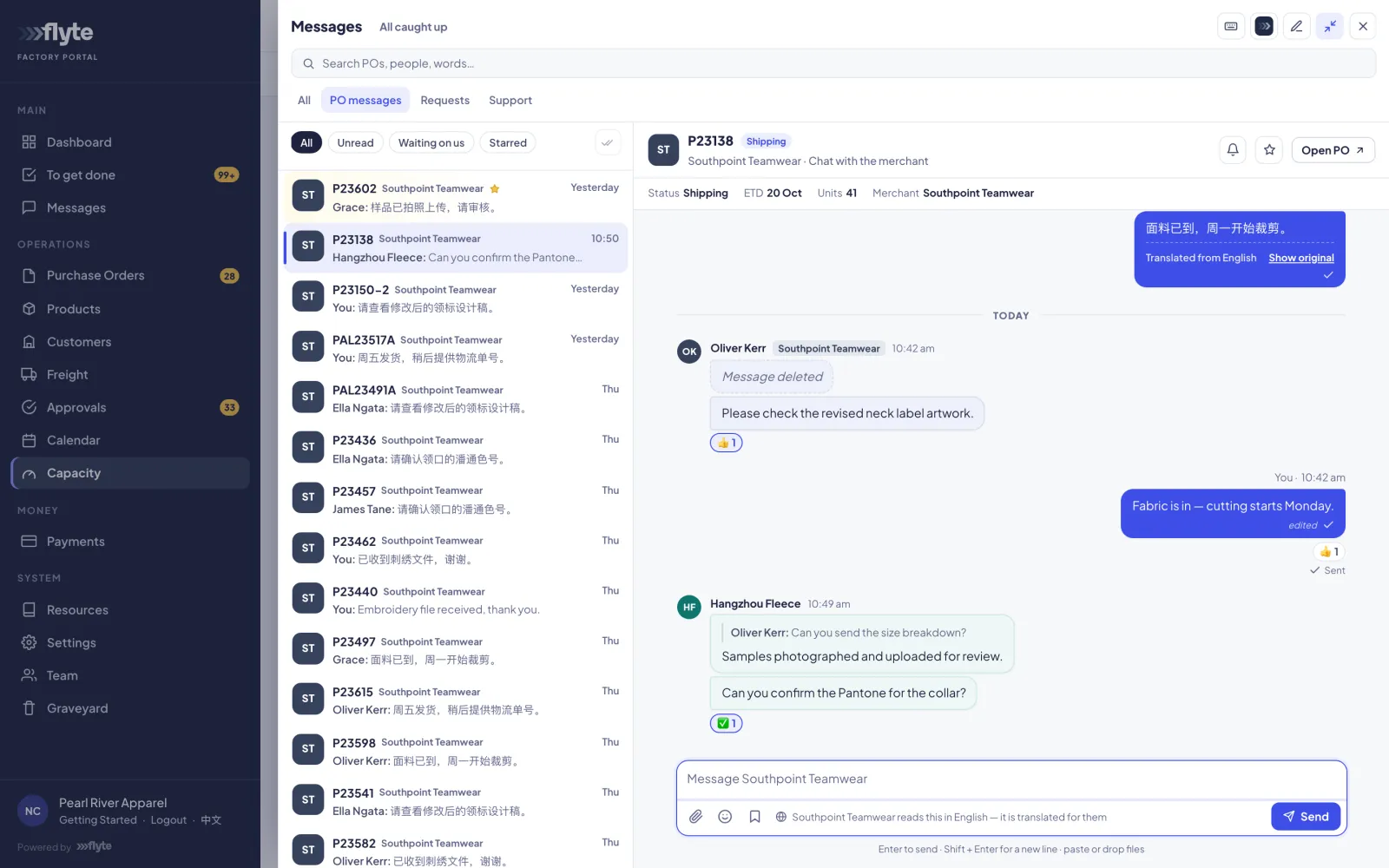
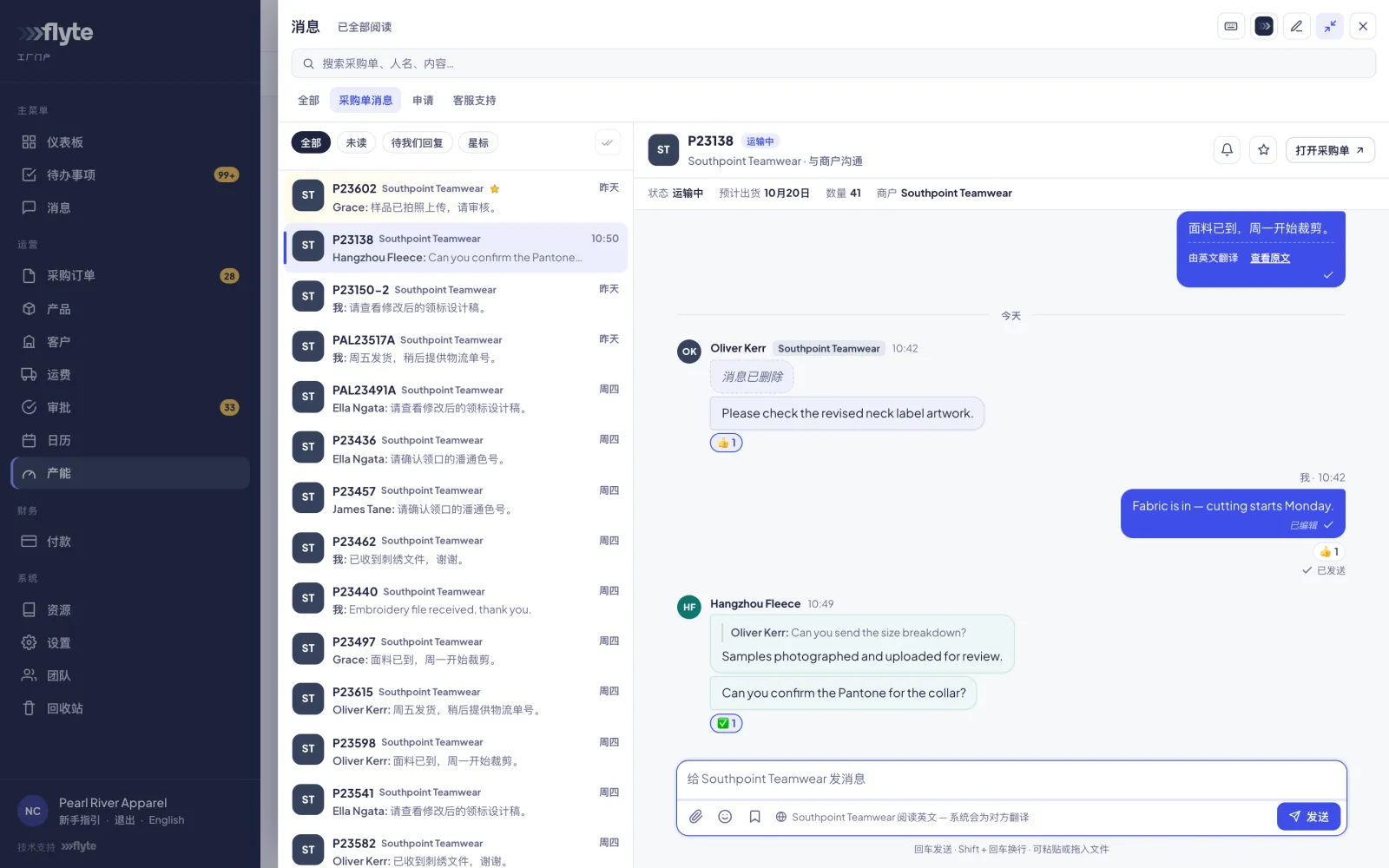
Every PO message is translated English ↔ Chinese on send. Nobody copies anything into a translation app.
Price changes, PO change requests and extra costs a factory proposes wait for your yes or no. Nothing changes silently.
Golden Week, Chinese New Year and factory shutdowns sit alongside every order's ship date, so you see a clash coming.
Built-in AI assistant
Flyte includes an assistant, also called Flyte. Your team asks it how to do something and it answers step by step from your own guides, not from guesswork. Your customers get their own version in their portal, which can answer questions about their orders.
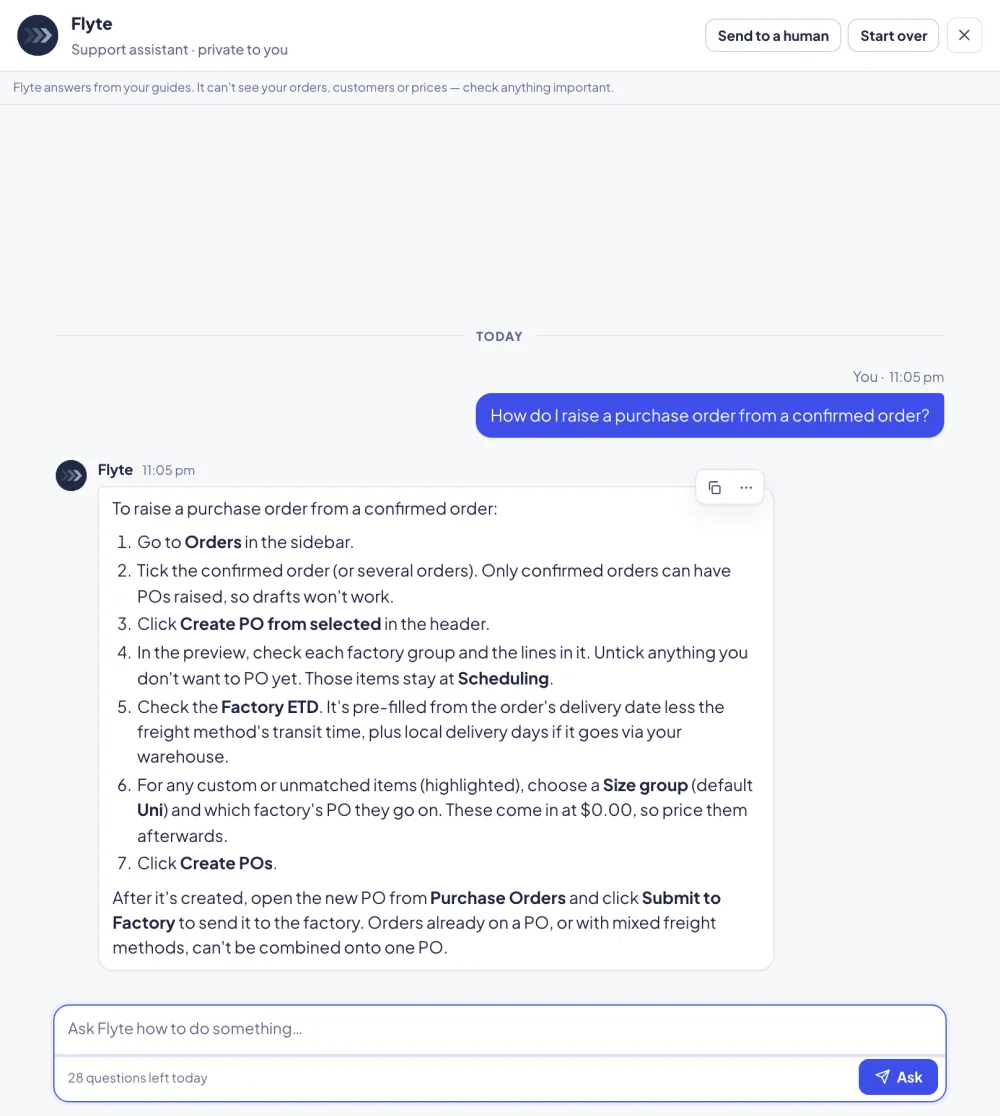
Know your numbers
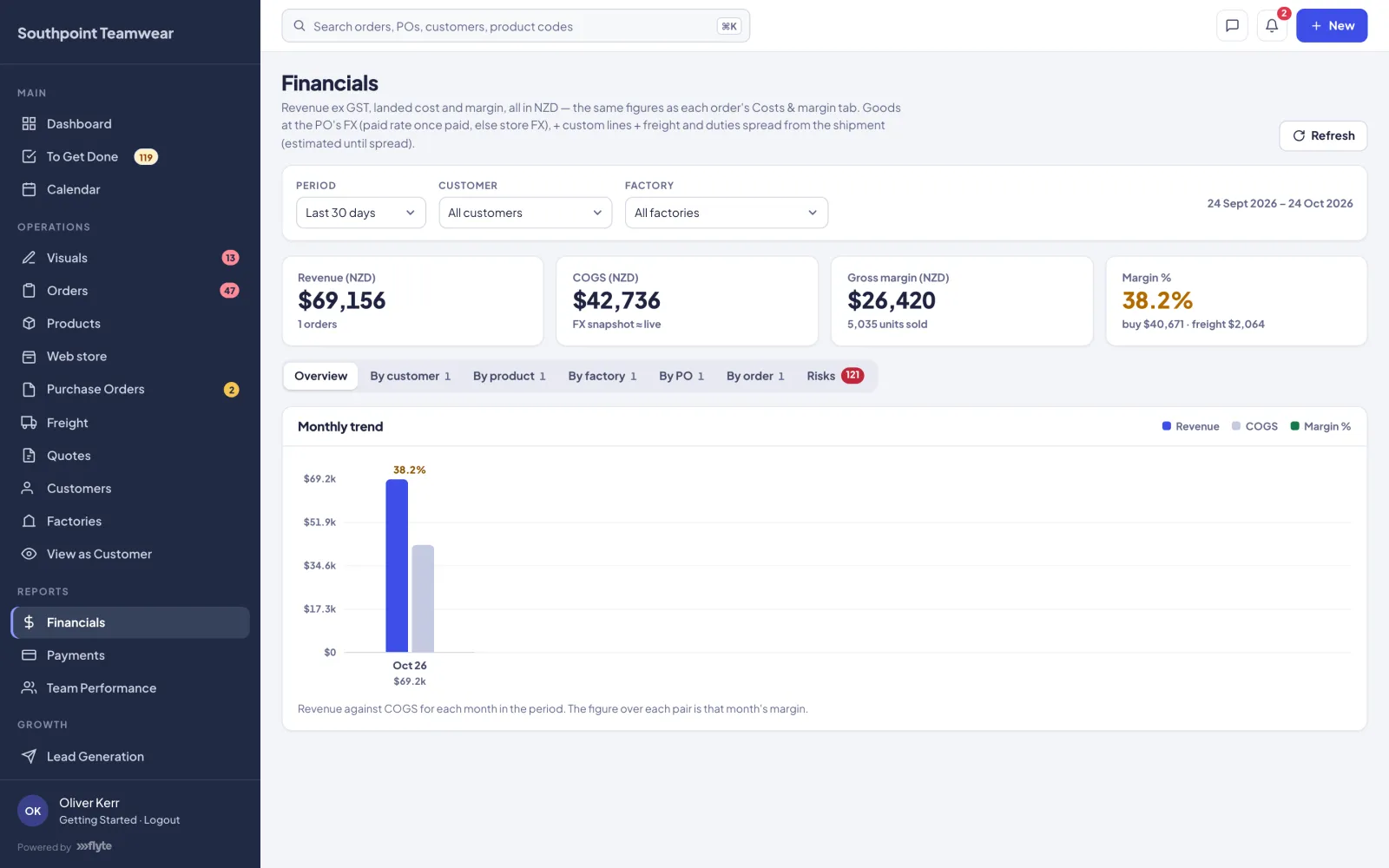
Revenue, landed cost and margin by customer, product, factory, PO and month, at live exchange rates. Flyte also flags risks: low-margin orders, POs with no matching order, and unpaid POs near their ship date.
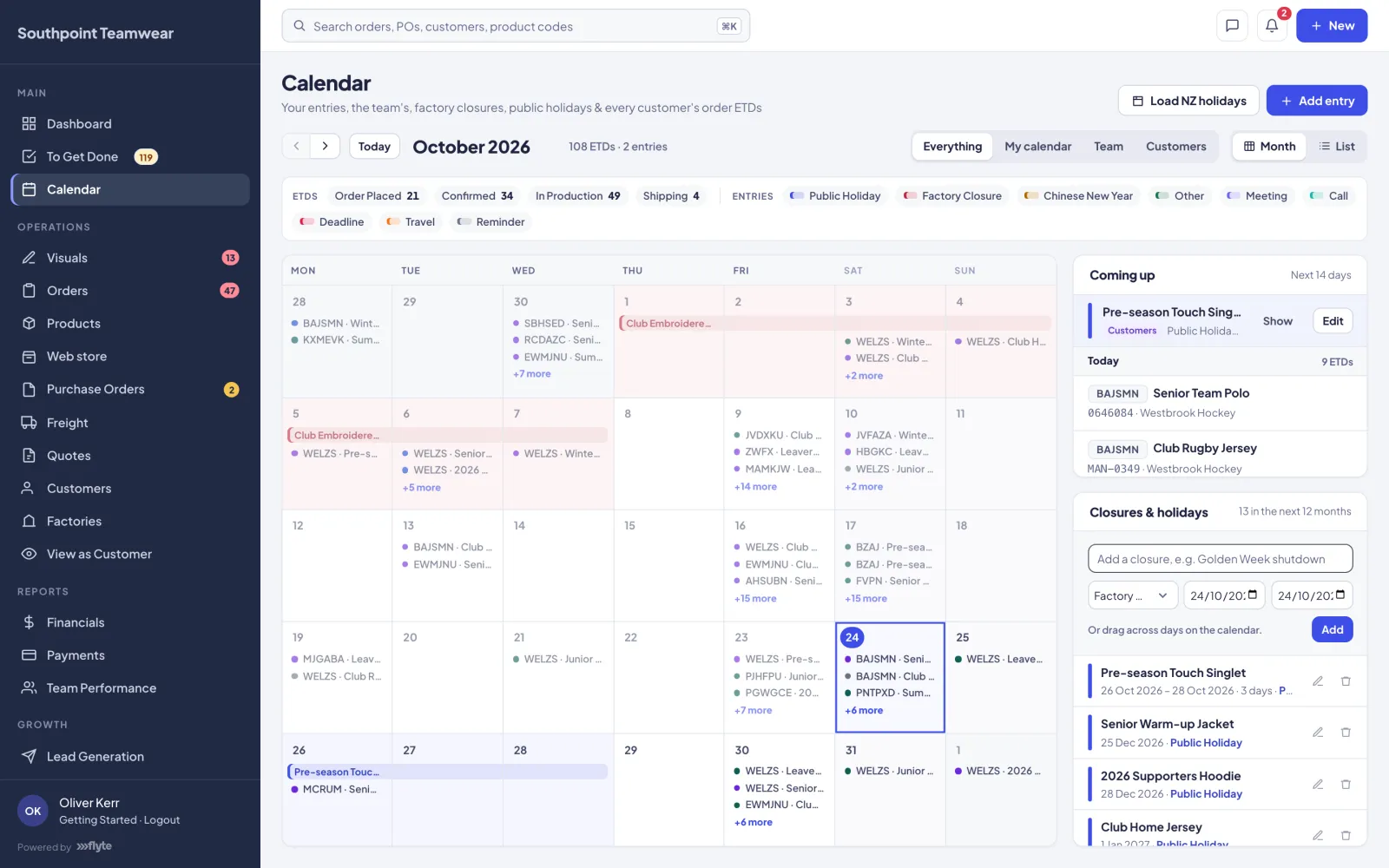
Every order's ship date, your team's entries, public holidays and factory closures on one calendar, with what's coming up in the next fortnight.
The details that matter
One list of everything waiting on your team: orders to check, POs to send, approvals to review.
Sell and buy price breaks by quantity, with per-line discounts and manual overrides where you need them.
Raise invoices from orders, with payment terms and deposits for customers who pay up front.
Vendor catalogues and stock levels synced nightly, alongside your made-to-order range.
Team access set per section, with factory and customer users each limited to their own work.
Deleted orders, products, POs and customers can be restored for 30 days.
Every notification, from approval requests to dispatch, goes out in your name with your logo.
Price up a job and send the customer a branded quote before it ever becomes an order.
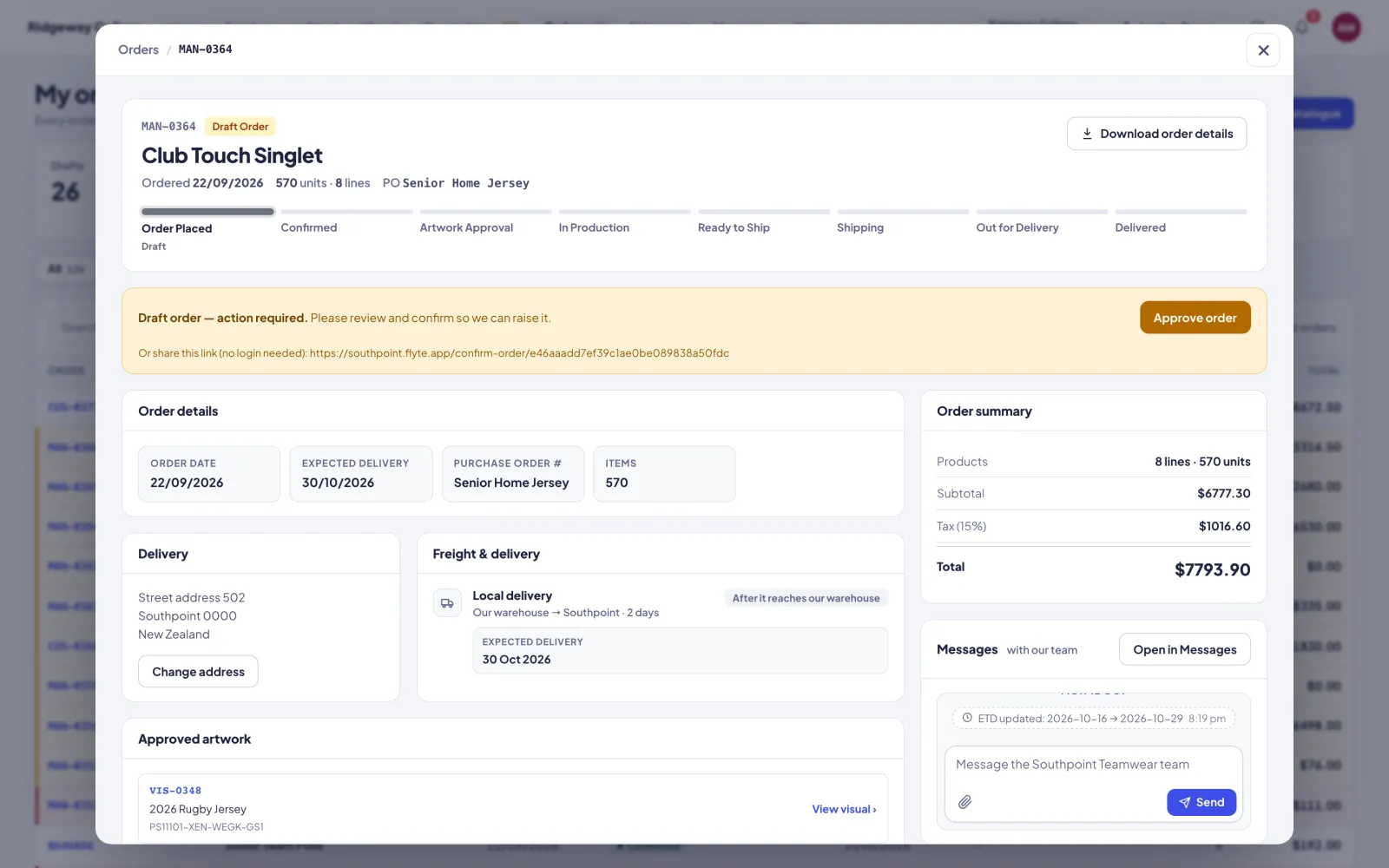
Your brand, front and centre
Your name and logo appear on the customer portal, the approval pages and every email. To your customers, it's your system. Flyte stays in the background: on your team's sign-in, the factory portal and a small “Powered by Flyte” link.
Each business gets its own instance with its own data. We set it up around how you already work, import your customers, products and factories, and keep improving it as you grow.
Tell us how work moves through your business today. We'll show you how Flyte fits it.
Talk to us about FlyteFlyte is designed, built and supported by Whyrl Digital.